basic stuff:
- do
/?after a command to see manual
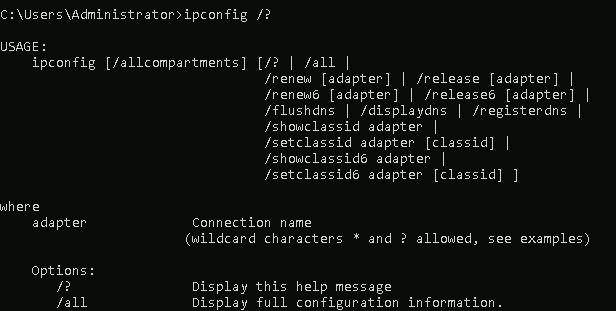
- do
clsto clear the terminal - pipe outputs through
moreto page (spacebar to scroll 1 page. enter to scroll 1 line) type filename=catequivilant. pipe throughmorefor larger files
system stuff
hostname | :v |
|---|---|
whoami | :v |
set | env eqivilant for windows |
ver | system version |
systeminfo | pretty much all the systeminfo |
driverquery | list of installed device drivers and their properties |
file and disk management
cd | - use without any args to view current directory - otherwise use normally |
|---|---|
dir | - ls -l equivilant- use with /a to view hidden system files as well- use with /s to see content of nested folders recursively (can get spammy) |
tree | - better dir /s alternative |
mdkir | - same as linux equivilant |
rmdir | - same as linux equivilant |
copy | - similar to mv on linux but only for copying |
move | - mv equivilant but for moving only |
del or erase | - moves files to the recycle bin. erase originates from MS-DOS while del is the newer one. both are functionally identical. doesnt do true data erasure tho |
task and process management
tasklist | - ps equivilant- tasklist /FI "imagename eq notepad.exe" to find processes related to for example notepad.exe |
|---|---|
taskkil |
networking stuff
- do
ipconfig /allto see all network info tracertto dotraceroute- do
netstat -a -bto see active network connections and the programs associated with them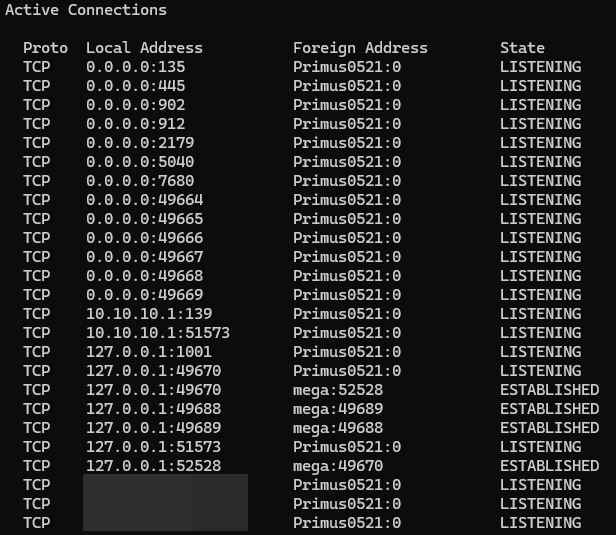
netis primarily used for network resource management. supports sub commands. doin/?wont work for it. gotta donet helpinstead for some weird reason
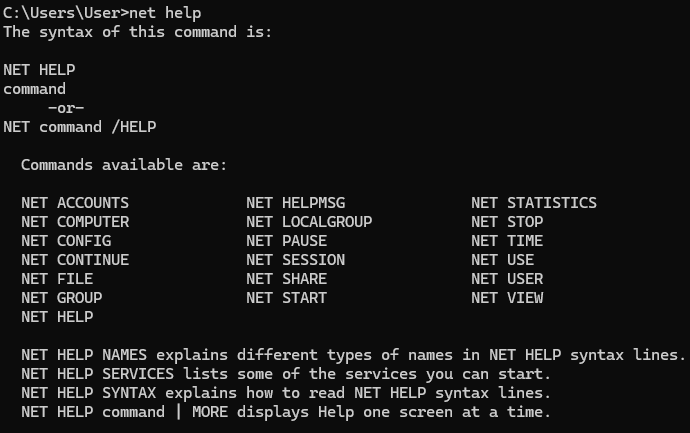
- doing
net help availableCommandwill show further manuals for each command :D